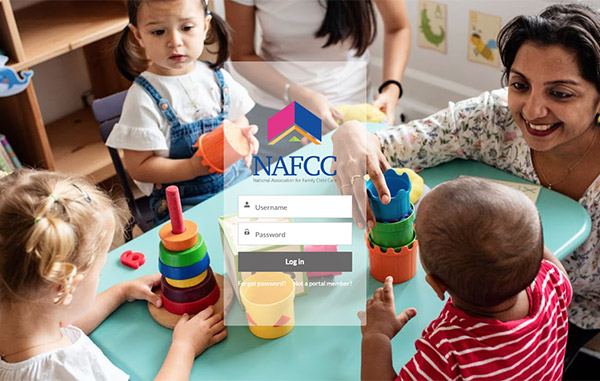
A Secure, Centralized Hub for Your Accreditation Journey

A Smarter and Simple What to Manage your Accreditation Journey

The NAFCC Accreditation Portal is the official system for managing your accreditation process from start to finish. Designed to increase clarity, transparency, and efficiency, the portal brings applications, documentation, payments, and communication into one secure location.

The portal does not change NAFCC’s Quality Standards, eligibility criteria, or accreditation timelines. Instead, it strengthens the experience by providing structured workflows, real-time status updates, and centralized communication throughout your accreditation journey.

Key Portal Features

hub icon

Centralized Accreditation Management

Access your applications, required documents, and payment records in one secure location.

user icon

Real-Time Status Tracking

Monitor your progress and know exactly where you are in the accreditation process at any time.

process icon

Structured Application Workflow

Follow guided steps to complete submissions accurately and efficiently.

notifications icon

Automated Reminders & Alerts

Receive alerts about deadlines, required documents, and process updates.
Stay on track with deadline reminders and real-time notifications.

browser icon

Secure Communication & Observation Coordination

Access centralized updates related to scheduling, observation windows, and accreditation milestones.

How the Portal Supports Your Accreditation Journey

Step 1: Enroll or Apply: Register for Self-Study or submit your accreditation application through the portal.

Step 2: Upload & Track: Submit required documentation and monitor your progress through each stage of review.

Step 3: Observation & Decision: Receive scheduling updates and track your accreditation status through final decision.

zoom logo

Please register in advance to enter the Zoom meeting.

Office Hours

Our Accreditation Team is here to help you! Join us for office hours to ask your Accreditation team questions about:

Starting in February:

¡Hablamos español!

Frequently Asked Questions

No. The Accreditation Team remains available through Office Hours and direct communication. The portal enhances support by providing structured workflows and real-time updates.

Yes. The portal operates within a secure system environment. Educator data, documentation, and payment information are protected in accordance with NAFCC confidentiality and data protection policies.

All educators enrolling in Self-Study, submitting an Initial Accreditation application, completing Reaccreditation, or monitoring their accreditation status should use the portal.

accreditation portal screenshot

Accreditation Portal Tech Support

If you experience a system error or encounter a technical issue that prevents you from completing a required step in the Portal, please contact the Accreditation Team.

Contact the Accreditation Team if:

  • You receive a system error message
  • An error prevents you from completing a required step
  • You cannot log in after using the “Forgot Password” option
  • Applications or uploaded documents are missing
  • The system prevents submission
  • Your accreditation status or phase appears incorrect
  • Next steps are unclear after completing a required action

If an error message appears on your screen:

  1. Do not repeatedly click or refresh the page.
  2. Take a screenshot of the full error message, including the page you were on.
  3. Note what you were trying to do (for example: uploading a document, submitting an application, saving a form).
  4. Email the Accreditation Team using the required subject line below.

Email: accreditation@nafcc.org
Subject Line: Tech Support

For faster assistance, please include:

  • Your full name
  • Program name
  • A brief description of what you were trying to do
  • A screenshot of the error message (if available)

Thank You!

Documenting error messages helps us support you more efficiently and resolve issues quickly. We appreciate your partnership in maintaining a smooth accreditation process.